Competitor prompt analysis: how to find the questions where AI recommends your competitors
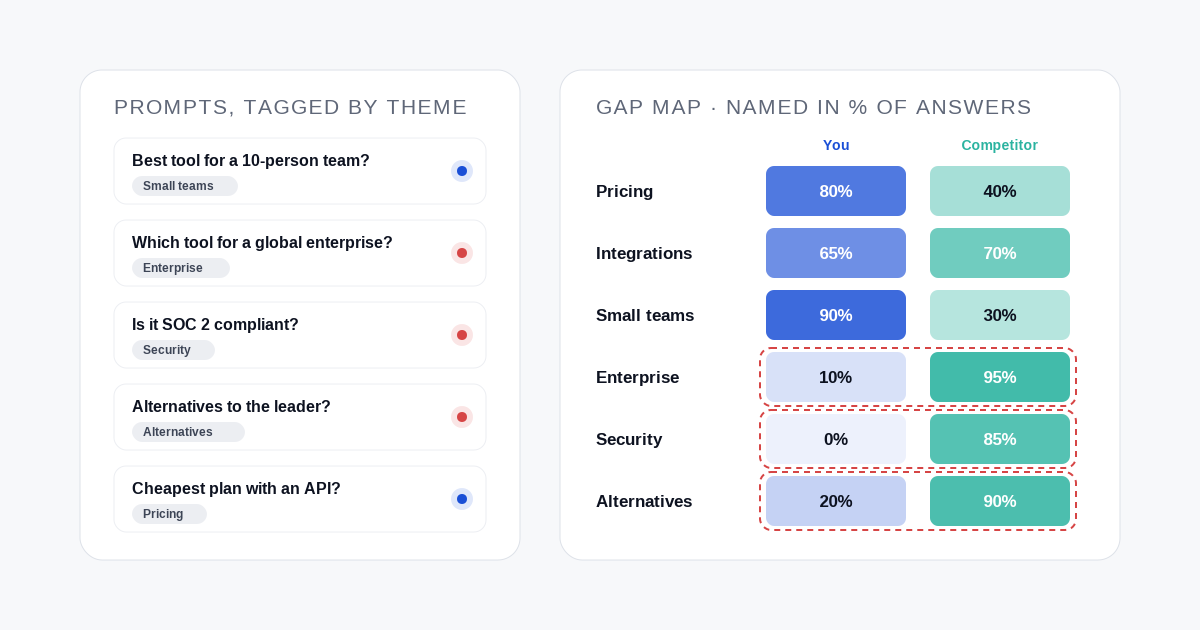
When ChatGPT, Gemini or Google AI Mode recommend a competitor instead of you, the overall share of voice says that you lose, not where. Competitor prompt analysis answers the second question: which questions, which topics and which buyers lead the assistants to your competitors, and why. This guide gives SEO and content teams a method to categorise prompts, map the themes where competitors hold the advantage, and turn the map into a list of pages to write.
The short answer
- Track questions, grouped by theme. A competitor rarely wins everywhere. It wins a set of themes, buyers or company sizes, and the map shows which.
- Tag every question with its topic, the buyer it speaks for, the company size and the intent. The tags are what reveal the pattern.
- Build a gap map: for each theme, how often you are named against how often the leader is named.
- Read the lost answers and their sources. The wording of the question and the pages cited explain why a competitor was picked.
- Prioritise by search demand, by how close you are, and by whether you really fit the theme. Some gaps are not worth closing.
The method in six steps
1. Build a question set that covers the market, not only your product
Write the questions buyers ask before they know your name, for every theme in the category, including the ones where you think you are weak: "best X for", "X for a [size] company", "alternatives to", "how to choose". Ask them with the wording of each buyer: a CFO, a procurement lead and a founder do not ask the same thing. 30 to 100 questions is enough to see the patterns. See how to write prompts your customers ask.
2. Record who is named, in what order, and from which sources
Run the set on the assistants your buyers use, in their market, and keep for every answer the brands named, their position and the pages cited. Run it several times: one answer per question is noise.
3. Tag each question
| Tag | Examples | What it reveals |
|---|---|---|
| Topic | Expenses, procurement, supplier risk, treasury | The themes a competitor owns |
| Buyer | CFO, procurement lead, founder, IT | Whose questions you answer, and whose you do not |
| Company size | Startup, mid-market, global enterprise | The segment the assistants place you in |
| Intent | Best tool, comparison, alternative, how-to, pricing | The stage of the purchase where you drop out |
| Use case or feature | Invoice matching, cash forecasting, ESG | The capabilities the assistants link to each brand |
4. Map the themes where competitors lead
For each tag value, compute the share of answers that name you and the share that name the leader. Put them side by side. The themes split into three groups: those you win, those you share, and those where you are never named. The third group is the map of the competitors' advantage.
5. Diagnose why, from the wording and the sources
Read the questions you lose next to the ones you win, and look for the words that change the answer: a company size, a job title, a feature. Then compare the pages cited in the two groups. If the lost answers cite an analyst report, a comparison article or a competitor's feature page, you know what the assistants read for that theme, and what is missing about you. Which sources AI assistants cite covers the kinds of pages.
6. Prioritise and act
- Fit first: close the gaps in themes you really serve. Being named for a segment you do not sell to brings the wrong leads.
- Then demand: start with the themes behind the most Google searches.
- Then distance: a theme where you are named in some answers moves faster than one where you never are.
- Act on two fronts: a page of your own that answers the theme's questions with facts, and a place on the pages the lost answers cite (see digital PR for AI visibility).
Then re-run the same questions and compare the map with the first one.
A worked example: spend management software
In our study of spend management software in the US, we asked ChatGPT, Gemini and Google AI Mode 12 questions that finance and procurement leaders ask, on October 26, 2026 (36 answers). Take the place of Ramp, a newer platform, analysing where Coupa, the most named, beats it.
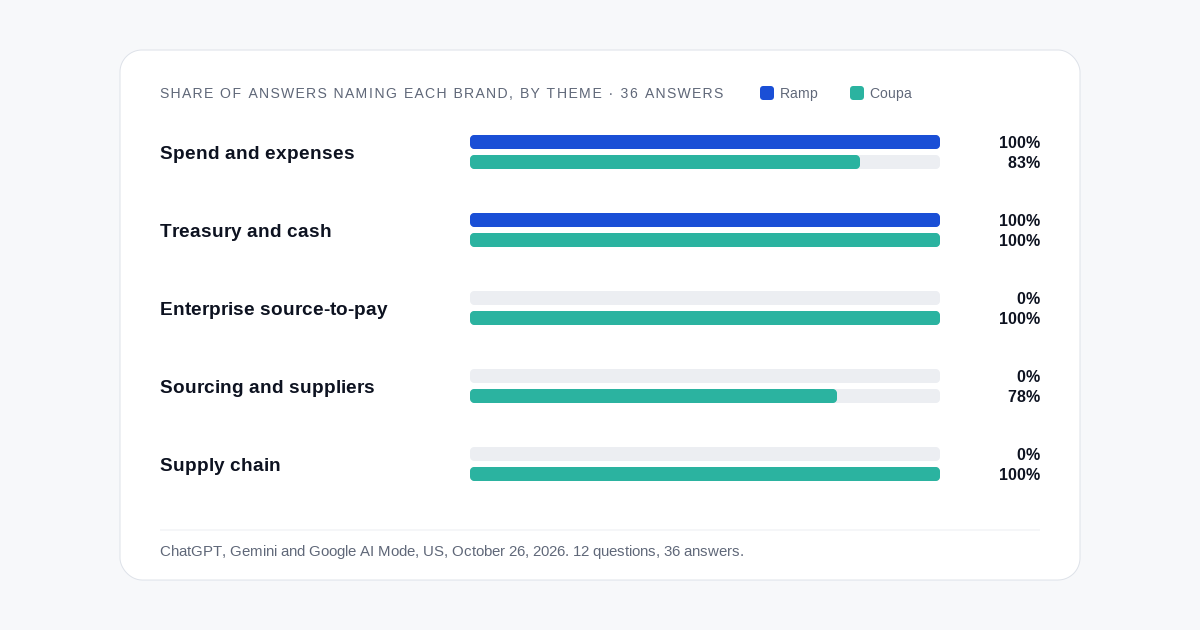
| Theme | Answers | Ramp named | Coupa named |
|---|---|---|---|
| Spend and expenses | 6 | 6 (100%) | 5 (83%) |
| Treasury and cash | 6 | 6 (100%) | 6 (100%) |
| Enterprise source-to-pay | 12 | 0 | 12 (100%) |
| Sourcing and suppliers | 9 | 0 | 7 (78%) |
| Supply chain | 3 | 0 | 3 (100%) |
What the analysis shows:
- The split is clean. Ramp is named in all 12 answers on spend, expenses and cash, and in none of the 24 on procurement, sourcing and supply chain. Coupa is in 33 of the 36.
- The wording decides. The questions Ramp wins are about finance: what CFOs use, employee expenses, treasury, cash flow forecasting, even one asked for "an enterprise finance team". The ones it loses are about procurement: a Chief Procurement Officer, strategic sourcing, supplier risk, catalogs, three-way invoice matching, supply chain. The assistants file Ramp under finance, not under procurement, whatever the company size.
- The sources differ. Gartner is cited in 10 of the 24 answers Ramp loses, next to the pages of the enterprise suites. The 12 answers it wins cite ramp.com in half of them, with expense-management vendors.
- Not every gap is worth closing. If Ramp does not sell to global procurement teams, the supply chain questions are not a target. The procurement questions closest to finance, such as purchase approvals and invoice matching, would be the first to work on.
This is one study of 12 questions on one day, used here to show the method. The study page has the questions, the answers and the sources.
Mistakes to avoid
- Tracking only the questions you already win. A set built from your own product pages hides the themes you lose.
- Reading one answer per question. Answers vary between runs and assistants: decide on several updates.
- Averaging the themes. A 33% share can be 100% in two themes and 0% in three, which calls for a different plan.
- Chasing every gap. The assistants are sometimes right that a competitor fits a segment better than you.
- Changing the question set mid-way. Keep it fixed, or start a new baseline.
Tools
You need a tool that runs your questions on several assistants and keeps, for every answer, the brands named, their position and the pages cited, grouped by topic. Rempa (our product) groups your prompts by topic, shows where each competitor leads by topic and model, and lists in its recommendations the questions you lose with the competitors named instead of you and the Google searches behind them. See AI visibility: the prompts competitors win and how to benchmark AI share of voice.
Frequently asked questions
How do I find which prompts make AI recommend my competitors instead of me?
Track the questions buyers ask in your category on the assistants they use, record the brands named in every answer, tag each question by topic, buyer, company size and intent, then compare by tag how often you and each competitor are named. The tags where you are absent and a competitor is present are the prompts it wins.
How do I categorise prompts for a competitor analysis?
Use a few tags that buyers would recognise: topic, buyer role, company size, intent (best tool, comparison, alternative, how-to, pricing) and use case. Keep the list short and apply it to every question, so the groups are comparable.
Why does AI recommend a competitor for some questions and not others?
Because the wording changes who the answer is for. A job title, a company size or a feature points the assistant to the brands its sources link to that segment. Compare the questions you win and lose, and the pages cited in each.
How many prompts do I need?
Enough for several questions per theme: 30 to 100 in total for most categories, each asked on every assistant you track, over several updates.
What should I do with the themes I lose?
Keep the ones you really serve, start with those with the most search demand, write a page that answers their questions with facts, and work on being described on the pages the lost answers cite. Then track the same questions to see the map change.
Sources
- Rempa, Spend management software in the US: 12 questions asked to ChatGPT, Gemini and Google AI Mode, October 26, 2026 (36 answers).
More from the blog
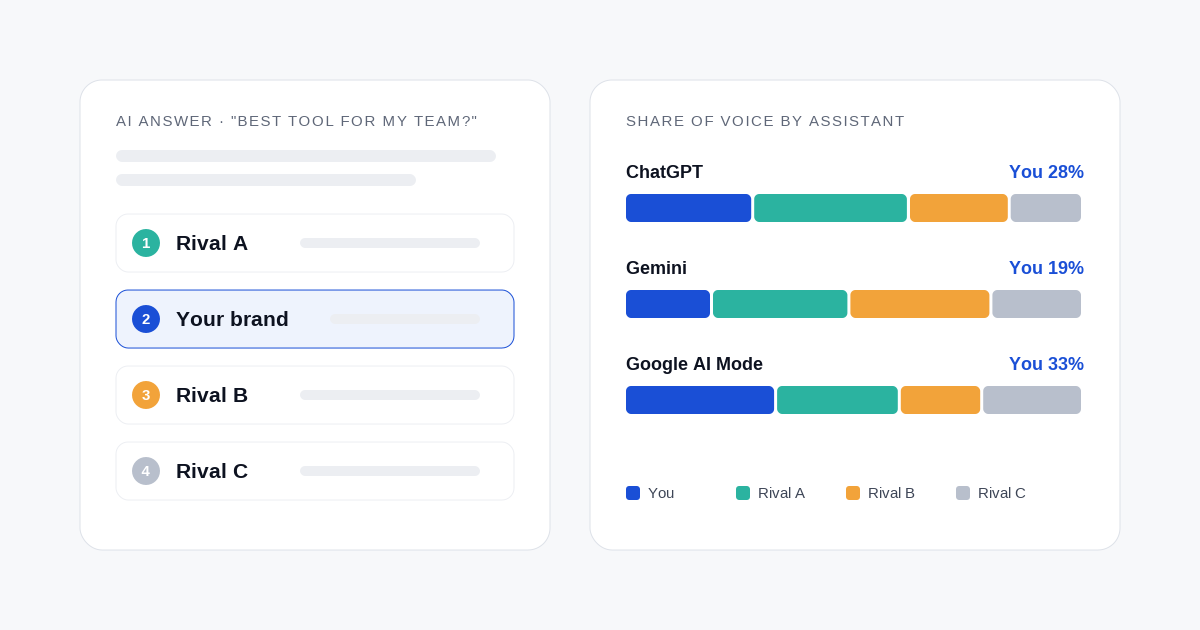
How to benchmark AI share of voice: metrics, a worked example and an audit framework
Share of voice in AI answers, plain and weighted by position, with visibility and sentiment. The standard metrics, a worked example on UK prospecting tools, six steps to run your own, and what makes one lie.
Read the article →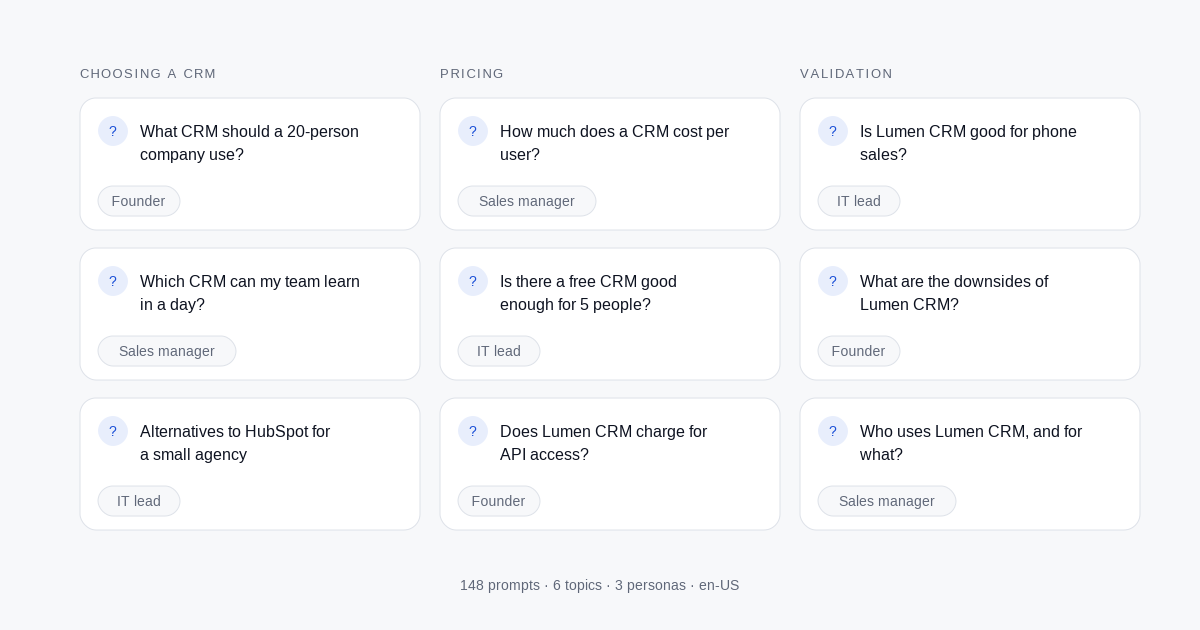
Writing the prompts your customers actually ask an AI
Pick keywords and you measure a search engine. Pick real buyer questions and you measure what AI tells your customers. How to build and maintain the set.
Read the article →
Which sources do AI assistants cite, and how to get your brand into them
When an assistant recommends a product, it is summarizing a comparison site, a review platform or a forum thread. Find those sources and get into them.
Read the article →