How agencies report AI visibility to clients: share of voice, citations and a monthly report template

Clients now ask their agency a new question: "What does ChatGPT say about us?" Answering with a screenshot does not hold up past the first meeting. This guide shows how SEO and digital agencies can track AI visibility for each client, which metrics to report (AI share of voice, position, sentiment, citations), a monthly report template, and how to turn cited sources into the next month's work.
Why clients want AI visibility in their reports
Buyers increasingly ask an assistant before they search: "which accountant for a small business in Leeds", "best project management tool for agencies", "Brand X vs Brand Y". The answer names a few brands, cites a few pages, and often ends the search. Clients see it happen with their own customers, read about Google AI Overviews taking clicks, and want to know where they stand. For an agency, it is also a natural extension of SEO reporting: the same topics, a new place where they are decided.
What to report: the core AI visibility metrics
| Metric | Definition | Why the client cares |
|---|---|---|
| Visibility | The share of AI answers, across the tracked prompts, that name the client's brand | The headline number: how often the brand is in the answer at all |
| AI share of voice | The client's mentions divided by the mentions of all tracked brands (client and competitors) in the same answers; can be weighted by position | Where the client stands against the competitors it actually loses deals to |
| Average position | The client's rank among the brands named in an answer, 1 being first | Being named first in a shortlist is worth more than being fifth |
| Sentiment | How favorably the answers describe the brand, on a fixed scale | Catches a repeated weakness or an outdated complaint before it spreads |
| Citations | The pages and domains the answers cite, and the share that are the client's | Shows which sources shape the answer, and where to act |
Report each metric by AI engine (ChatGPT, Gemini, Perplexity, Copilot, Google AI Overviews and AI Mode), by topic and by market. A single blended number hides the fact that a client can lead in one engine and be absent from another. For the measurement method itself, see how to measure AI visibility.
Setting up AI visibility tracking for a client
- Agree on the competitors. Ask the client which three to six brands they lose deals to. Reporting share of voice against competitors the client does not recognize undermines the whole report.
- Write the prompts with the client's language. Start from their sales team's questions and their topics, and write 30 to 150 questions buyers would ask an assistant, by product line and decision stage. Our guide on writing the prompts customers ask gives the method.
- Fix markets and engines. One market is one language and one country. Pick the assistants the client's buyers actually use; for most B2B clients, ChatGPT, Gemini and Google's AI features are the minimum.
- Measure a baseline before any work. Two to four weeks of daily or every-few-days runs. The baseline is what will prove the agency's impact later.
- Freeze the prompt set. Add prompts when needed, but do not rewrite the existing ones every month: changing the questions changes the numbers.
A monthly AI visibility report template
| Section | Content |
|---|---|
| 1. Summary | Three sentences: visibility and share of voice this month against last month and the baseline, the biggest change, and what the agency did that explains it |
| 2. Scorecard | Visibility, AI share of voice, average position and sentiment, by engine, with the trend since the baseline |
| 3. Competitors | Share of voice of each tracked competitor; who gained, who lost, on which topics |
| 4. Topics | The topics where the client is strongest and weakest, weighted by the search demand behind them |
| 5. Sources | The domains and pages most cited in the answers, which ones mention the client, and which ones mention only competitors |
| 6. What the answers say | Two or three verbatim excerpts: a good answer, a missed one, and any wrong or outdated fact |
| 7. Actions | What was done last month, what changed afterwards, and the plan for next month |
| 8. Business signals | AI referral sessions and conversions from analytics, branded search trend, and leads that mention AI as their source |
Keep it to two or three pages. Clients read the summary and the competitors; the rest is evidence for the actions.
Reporting citation sources, and turning them into work
The sources section is the most useful part of the report, because it tells the client where answers come from. Read it in three groups:
- Third-party pages that name competitors but not the client: comparison articles, review platforms, directories, forum threads. Each one is an outreach, listing or review task.
- The client's own pages that get cited: keep them current; they are working.
- Questions where no client page is cited: a page to write or rewrite, usually a comparison, alternatives, pricing or use-case page.
This turns AI visibility from a vanity chart into a backlog the agency can sell and deliver. Our article on which sources AI assistants cite explains the families of sources and how to get into them.
Connecting AI visibility to business results
- AI referral traffic. In GA4, build a segment or channel for sessions whose source matches
chatgpt.com|chat.openai.com|perplexity.ai|gemini.google.com|copilot.microsoft.com|claude.ai, and report its sessions and conversions. Traffic from Google AI Overviews and AI Mode is counted as Google organic and cannot be separated. - Branded search. Being named in answers raises searches for the brand name; watch the trend in Search Console.
- Self-reported attribution. Add "ChatGPT or another AI assistant" as an option in the client's "How did you hear about us?" field.
None of these is complete, and together they are convincing. Be explicit with the client about what can and cannot be attributed.
Running it across many clients
- One project per client and market, with the same structure (topics, prompts, competitors), so the agency can compare clients and reuse its playbook.
- Client access. Give clients a read-only login to their own dashboard rather than sending numbers by email; it builds trust and saves reporting time.
- Exports and API. Pull the data into the agency's reporting stack (Looker Studio, Sheets, a BI tool) through CSV exports or an API, so AI visibility sits next to SEO and paid search in the same report.
- Audits for prospects. A short AI visibility audit on a prospect's top questions, with the competitors named instead of them, is an effective way to open a conversation.
Rempa is built for this: one project per client and market, unlimited team members with read-only viewer access for clients, CSV exports of every page, and a REST API and MCP connector. See Rempa for agencies.
How agencies package the service
- An initial audit: baseline across engines, competitors, sources and wrong facts, with a prioritized action plan.
- A monthly retainer: tracking, the monthly report, and a fixed volume of actions (pages, listings, outreach).
- An add-on to SEO retainers: AI visibility as a section of the existing SEO report, priced by the number of prompts and markets tracked.
Price on the work, not on the tracking: the client pays for the diagnosis and the actions; the data is the evidence.
Frequently asked questions
How do agencies report AI search share of voice to clients?
They track a fixed set of buyer questions across the main AI assistants for the client and three to six competitors, then report the client's mentions as a share of all tracked brands' mentions, by engine, topic and market, with the trend since a baseline taken before any work started.
What is AI share of voice?
AI share of voice is the share of brand mentions in AI answers that go to your brand, out of all the mentions of the brands you track in the same answers. It can be weighted by position, so that being named first counts more than being named last.
What should an AI visibility report include?
A short summary, a scorecard (visibility, share of voice, position, sentiment) by engine, a competitor comparison, results by topic, the most cited sources, a few verbatim answers, the actions taken and planned, and business signals such as AI referral traffic and branded search.
How often should agencies report AI visibility?
Monthly for the client report, with tracking running daily or every few days underneath. AI answers vary from run to run, so a month of data gives a stable figure; a weekly report mostly shows noise.
Which tools do agencies use for AI visibility tracking?
An AI visibility tracker that supports several clients, the engines and markets they need, competitors, cited sources, client access, exports and an API, alongside their usual SEO suite and analytics. Test any tool on a real client's questions before rolling it out.
In short
Report AI visibility like any other channel: agree on competitors, freeze a prompt set, measure a baseline, and send a short monthly report with visibility, AI share of voice, position, sentiment and sources by engine. The sources section is what turns the report into next month's work, and the business signals are what keep the client paying for it.
More from the blog

How to build an enterprise GEO strategy: a framework for organic search directors
GEO at enterprise scale is a program, not a list of tactics: the questions to win, a baseline, four workstreams with owners, and the tools to measure it.
Read the article →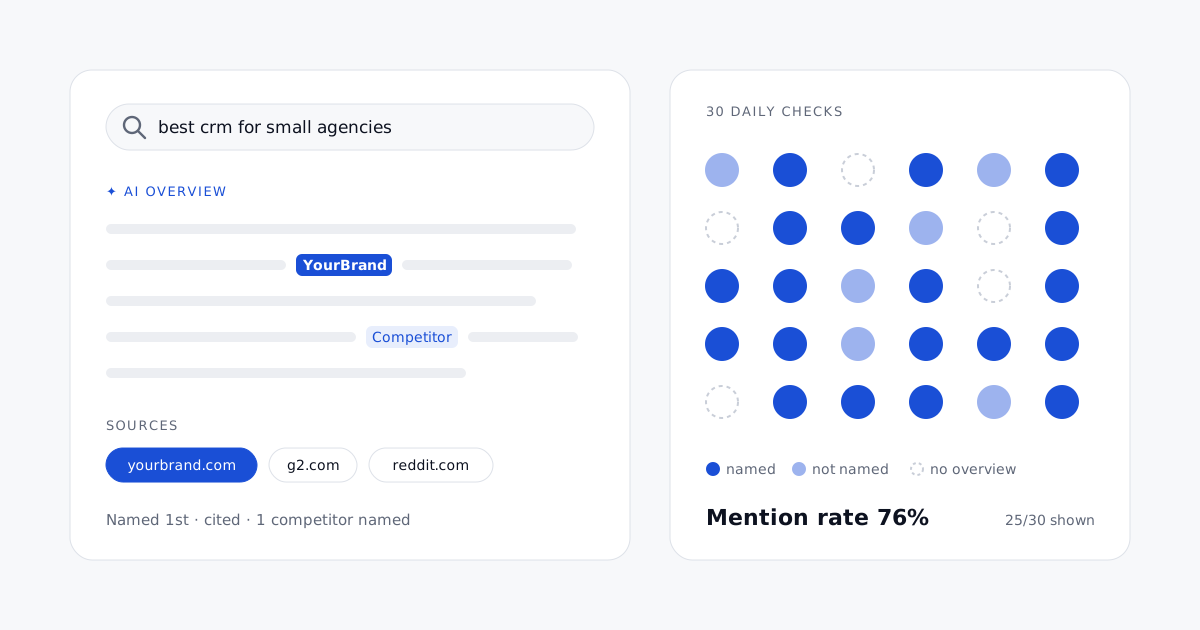
How to track AI Overviews: monitoring brand citations in Google's AI answers, with tool pricing
Search Console will not tell you whether Google's AI summaries name your brand. How to track AI Overviews every day, and what each tool really costs per daily check.
Read the article →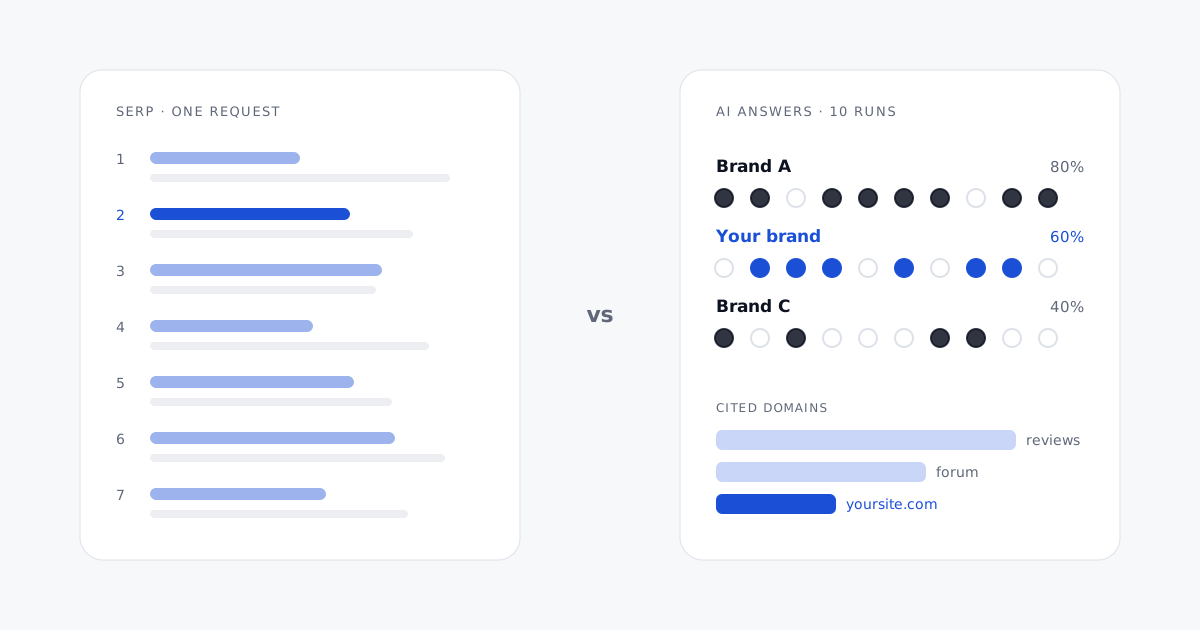
SERP tracking vs AI citation tracking: a technical breakdown
SERP tracking reads a typed list that barely moves; AI citation tracking reads generated text that changes on every run. What that changes in collection, parsing, sampling, storage and reporting.
Read the article →